Which APK should I download?
Voltra for Android mobile is for phones and tablets running Android 6.0 or later. Browse in portrait, then turn to the landscape player to watch. Search and Settings sit at the top of the screen.
Voltra for TV is for Android TV, Google TV and compatible Fire TV devices running Android-based Fire OS 6 or later. Use the directional buttons on your remote to navigate and Select to open a title. On a supported TV, entering 1165642 in Downloader opens the download destination. Choose the TV build if asked.
Fire TV devices running Vega OS cannot install an Android APK. Check your specific model in the Fire TV compatibility guide.
Why does Android show version 13.0?
Voltra calls this release v14 after its Android build number. Both official APKs have version code 14 and the version label 13.0. Seeing 13.0 in Android’s app information is expected for these downloads.
Find something to watch
Browse films and series by studio, or open Anime for its own catalog. Save a title or channel to My List, where separate tabs keep movies, series, anime and channels together on your device. Open Continue Watching to resume a movie or episode with saved progress.
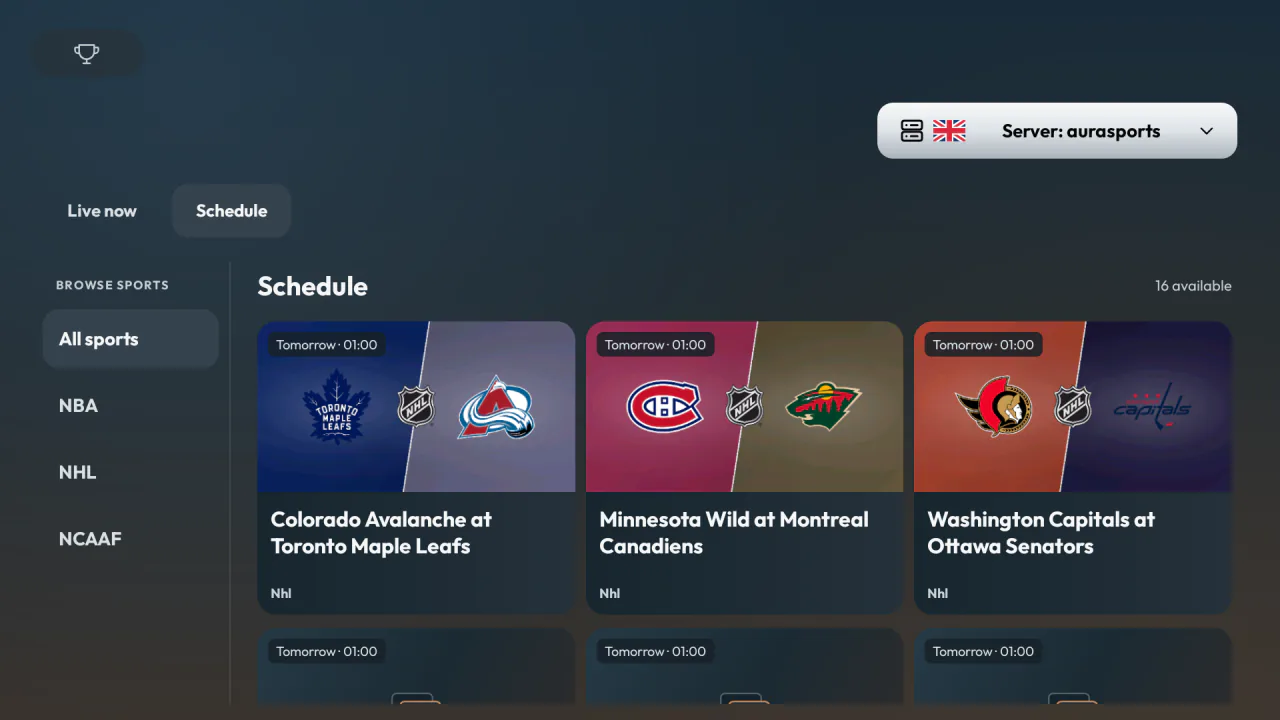
In Sports, open Schedule for upcoming events, including games that start after midnight. Browse available round-the-clock channels in the 24/7 section. Events, channels and sources vary by provider and region.
Adjust playback and subtitles
The built-in player offers a source selector, video quality settings and subtitle controls. For a series, open the episode selector to choose a season and episode. Available resolutions and subtitle languages depend on the source. Quality above 1080p in the built-in player requires paid Premium and a compatible source and device.