A useful mobile streaming app should make a short session easy: open the app, find the right category, choose a title or channel and reach playback without fighting a television-sized interface on a small screen.
Voltra does not host or store movies, anime, channels or live events. It organizes independent third-party sources. Availability, quality and legality depend on the source and your location.
What can you browse in Voltra on Android mobile?
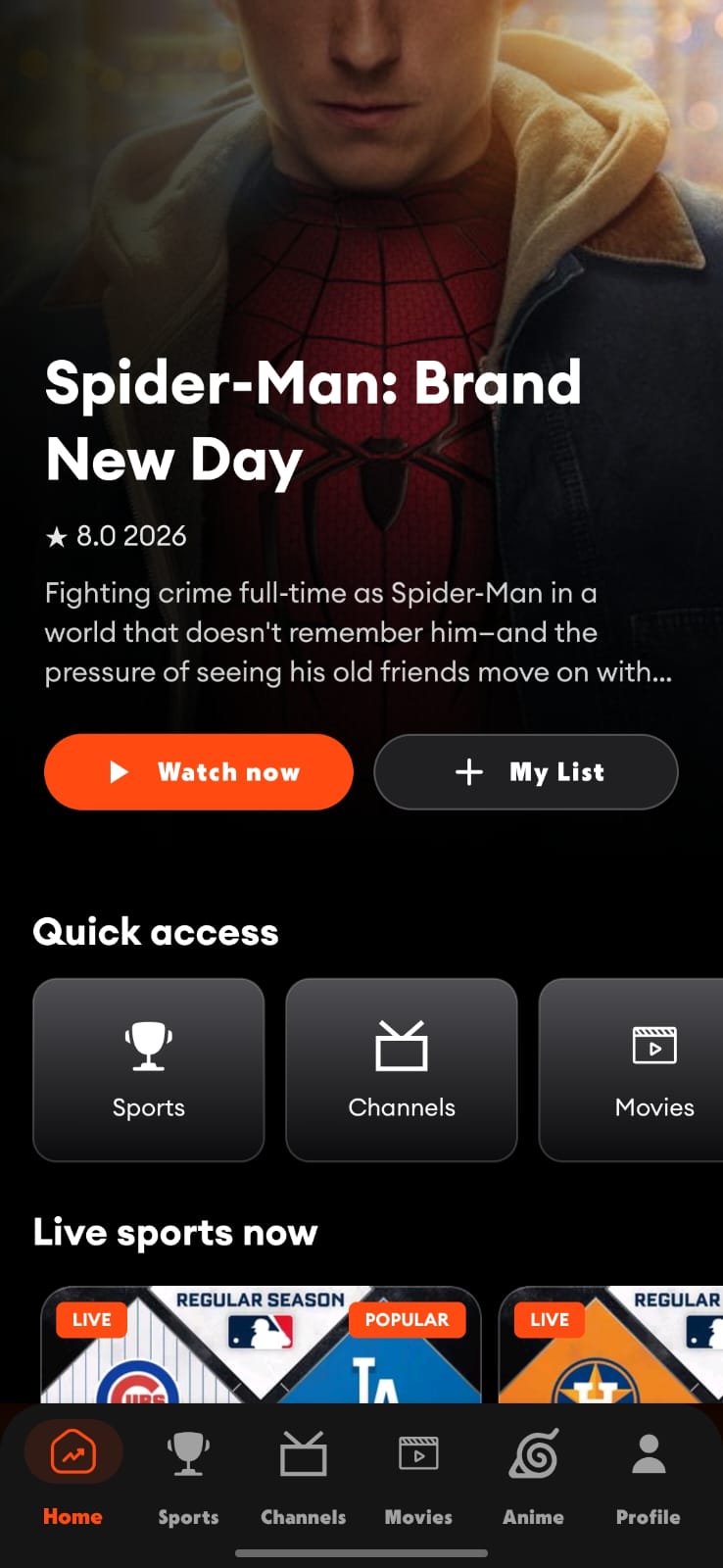
Voltra TV v9 brings the same core destinations from Android TV to the phone: a personalized home surface, more than 1,000 TV channels, TMDB-powered movie and series discovery, a dedicated anime area, live sports events and unified search.
The mobile design is not a narrow crop of the television UI. Navigation moves to the bottom, cards become touch-friendly, long rows can scroll horizontally and detail screens prioritize the next action. The result preserves the same content map while changing how you move through it.
Watch movies and series on an Android phone
The Movies area uses TMDB catalogue data for discovery. You can browse studios, popular titles, current releases and trending rows, then open a title to inspect details. A listing in the catalogue does not guarantee that an independent playback source exists in every region.
When you know the title, search is faster than browsing. When you do not, visual shelves are more useful. Voltra keeps both paths available so “find this movie” and “help me choose” do not compete for the same screen.
Browse live TV and sports on mobile
Live channels use a search bar, source selector, category filter and a compact three-column card grid. Sport is organized around events rather than a general media library, making live and upcoming choices easier to scan. On mobile networks, playback quality and data use matter; choose a suitable quality level and monitor your carrier allowance.
Use a dedicated anime experience
Anime has its own destination, featured title, category filters and trending shelves. Keeping anime separate from the broader movie and series catalogue reduces mixed results and makes recurring episode-based viewing easier to continue.
Mobile player controls that make sense
The landscape mobile player includes play or pause, ten-second seek, source choice, subtitles, audio, quality, resize, episodes and next-item controls. Casting is available when a compatible receiving device is detected. For official Android guidance on sending media from a phone to a television, review the Google Cast overview.
When mobile is the better screen
- Searching quickly before moving to a TV.
- Watching privately with headphones.
- Checking live scores or events away from the living room.
- Browsing a large catalogue with touch gestures.
- Casting to a compatible TV while keeping the phone nearby.
What Android version does Voltra require?
Voltra supports Android 6.0 and later. Device performance, codec support and available storage still vary, especially on older phones. Install the APK only from the official Voltra domain and keep Android’s security warnings in mind when sideloading.